Collecting tax is only half the battle. The other half is knowing exactly how much you have collected so you can remit it to the government.
This guide shows you where to find your tax totals and how to export detailed data for your bookkeeper or accountant.
In this article
The Taxes Summary report
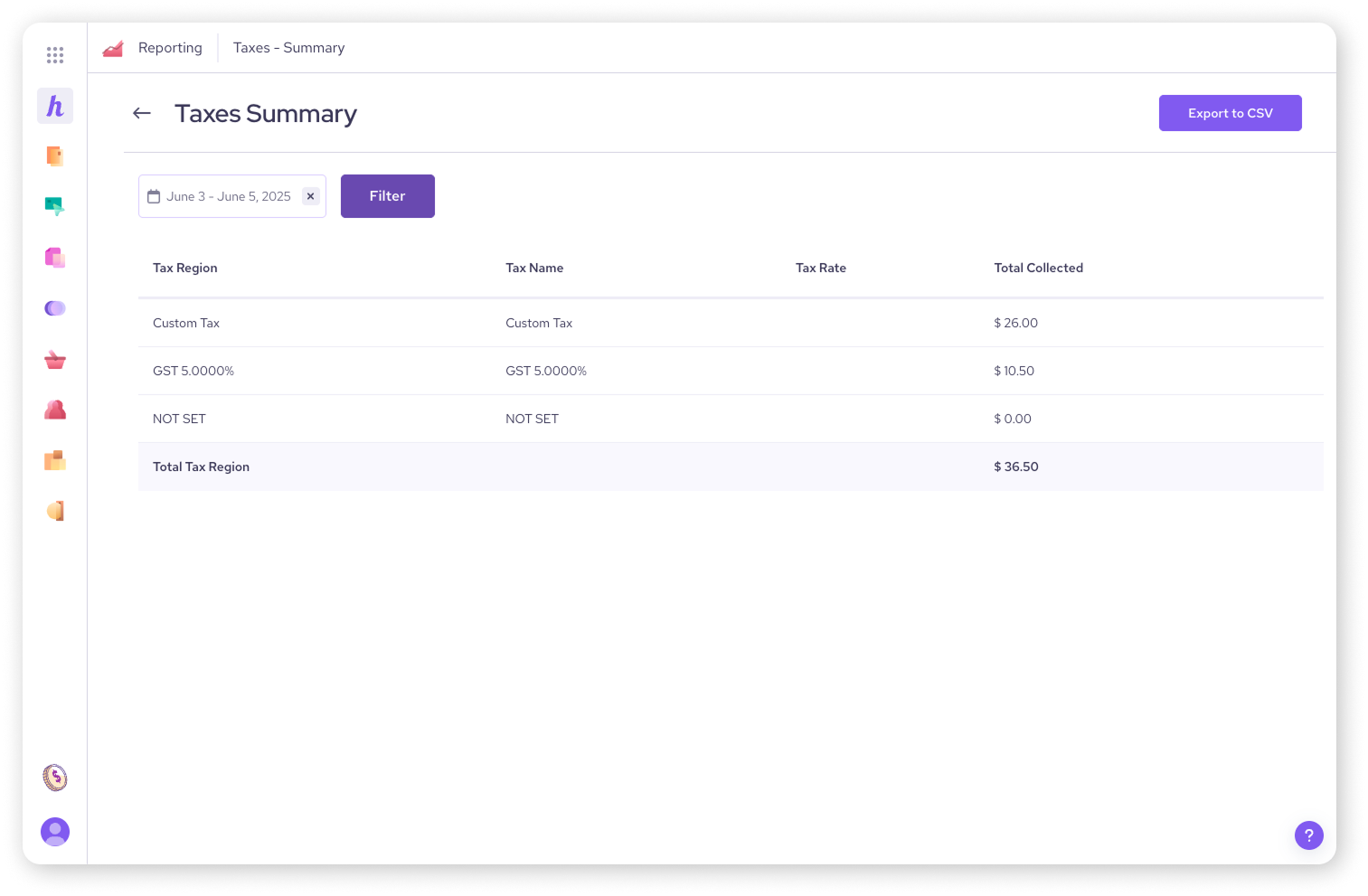
The easiest way to see what you owe is through the Taxes Summary report. This gives you a clear breakdown of taxes collected by region (e.g., total tax collected for "State Tax").
Log in to your Helcim account.
Select Reporting from the All Tools menu .
Under the Taxes header, click on Summary .
Use the date picker at the top to select the time period you are filing for (e.g. last month, last quarter, or last year) .
To save this data, click the Export to CSV button.
The Invoice Level Detail report
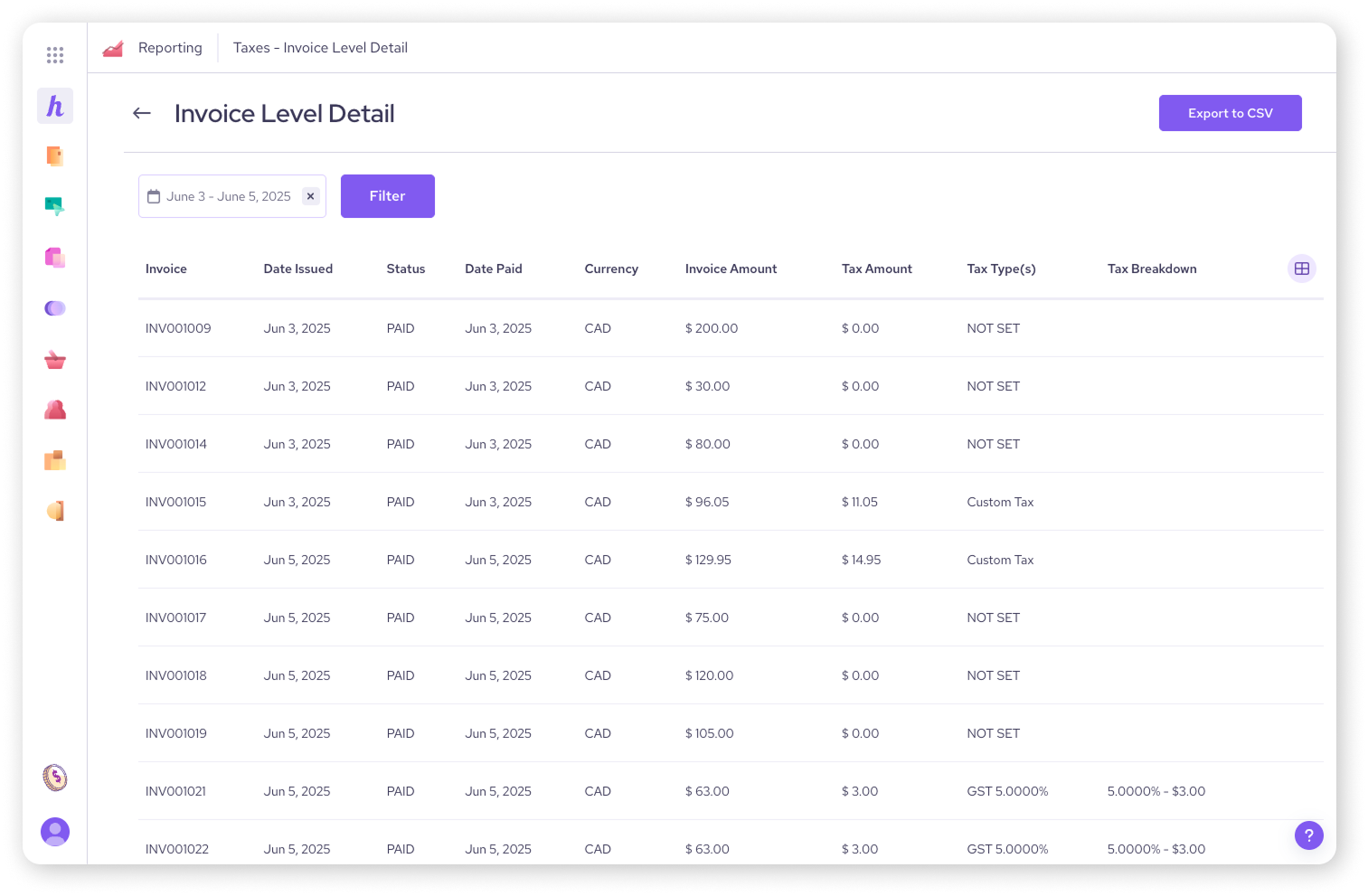
If you need a detailed audit trail—showing exactly how much tax was charged on every single specific transaction—you should use the Invoice Level detail report.
Select Reporting from the All Tools menu.
Under the Taxes header (right below "Summary"), click on Invoice Level detail.
Use the date picker to filter for the specific period you need .
Click the Export to CSV button to download a spreadsheet containing the breakdown for every invoice.
This report is best for sharing with an accountant or importing into bookkeeping software to verify individual sales.
Handling discrepancies
Sometimes you might discover that a tax rate was set incorrectly for a few weeks, or a staff member forgot to add tax to a transaction.
Can I edit the report? No. The report reflects exactly what was processed through the system. You cannot retroactively "fix" the report to show tax that wasn't collected.
What should I do? If you collected the wrong amount, small discrepancies can usually be corrected in your next filing period . We recommend consulting your accountant on the best way to adjust your filing to make up the difference.
Next steps
You have now completed our article series on taxes! You have set up your rates, learned to apply them, handled exemptions, and pulled your reports.
If you have questions about the specific Form 1099-K (for US merchants processing over a certain volume), we have a dedicated guide for that.
FAQs
Does Helcim send my tax reports to the government?
No. Helcim provides the tools to track your taxes, but we do not report or remit them on your behalf. It is your responsibility to file your taxes with the appropriate authority (such as the CRA or IRS) .
Why doesn't my report match my manual calculations?
Common reasons for mismatched numbers include:
Refunds (taxes are deducted when you refund a transaction) .
Tax-inclusive pricing (if you didn't separate the tax at checkout, it won't show up here) .
Exempt customers (transactions for tax-exempt customers show $0 tax).