Managing your payment settings shouldn't feel like rocket science. You are able to access your processing accounts to adjust deposit details, update batch close times, or manage multi-currency settings, you can handle it all from one central hub.
| To keep things clear and simple, we’ve consolidated what used to be called "Terminals" and "Merchant Accounts" into one easy-to-understand location: your Processing Account. |

View and accessing your processing accounts
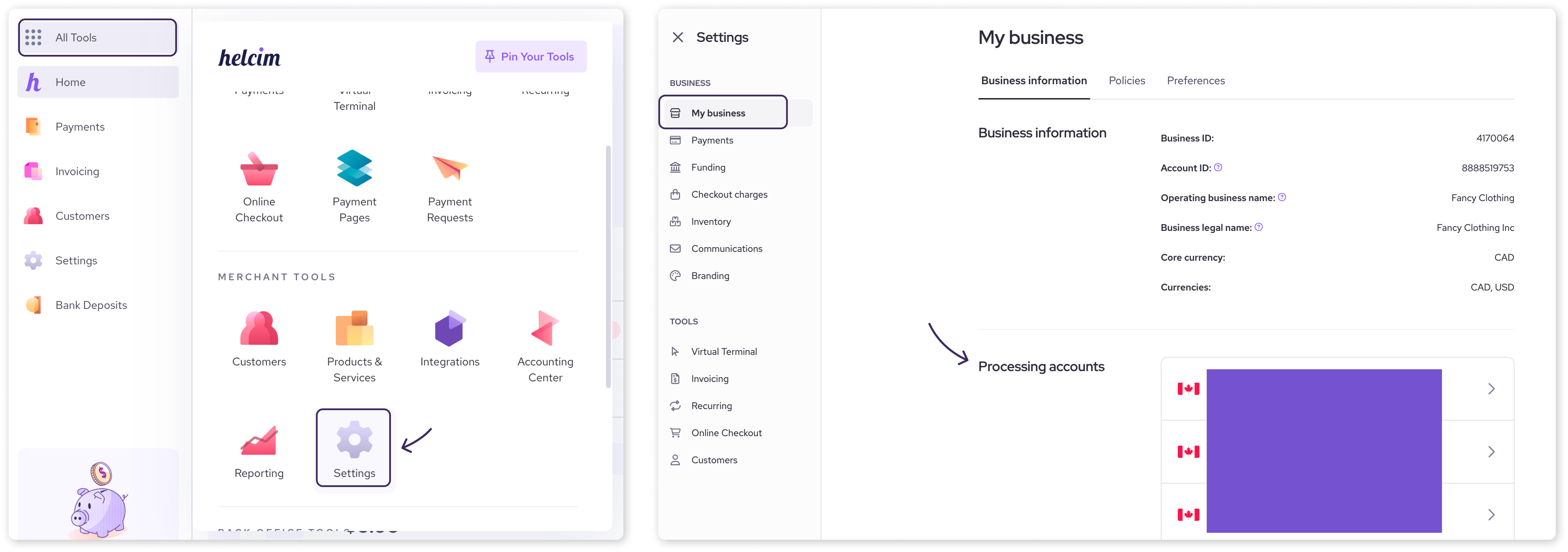
You can view all active payment setups linked to your business right from your main settings dashboard.
Log in to your Helcim account.
Click on Settings in the main menu.
Select My Business.
Click on the Processing account you would like to access.
In the Virtual Terminal
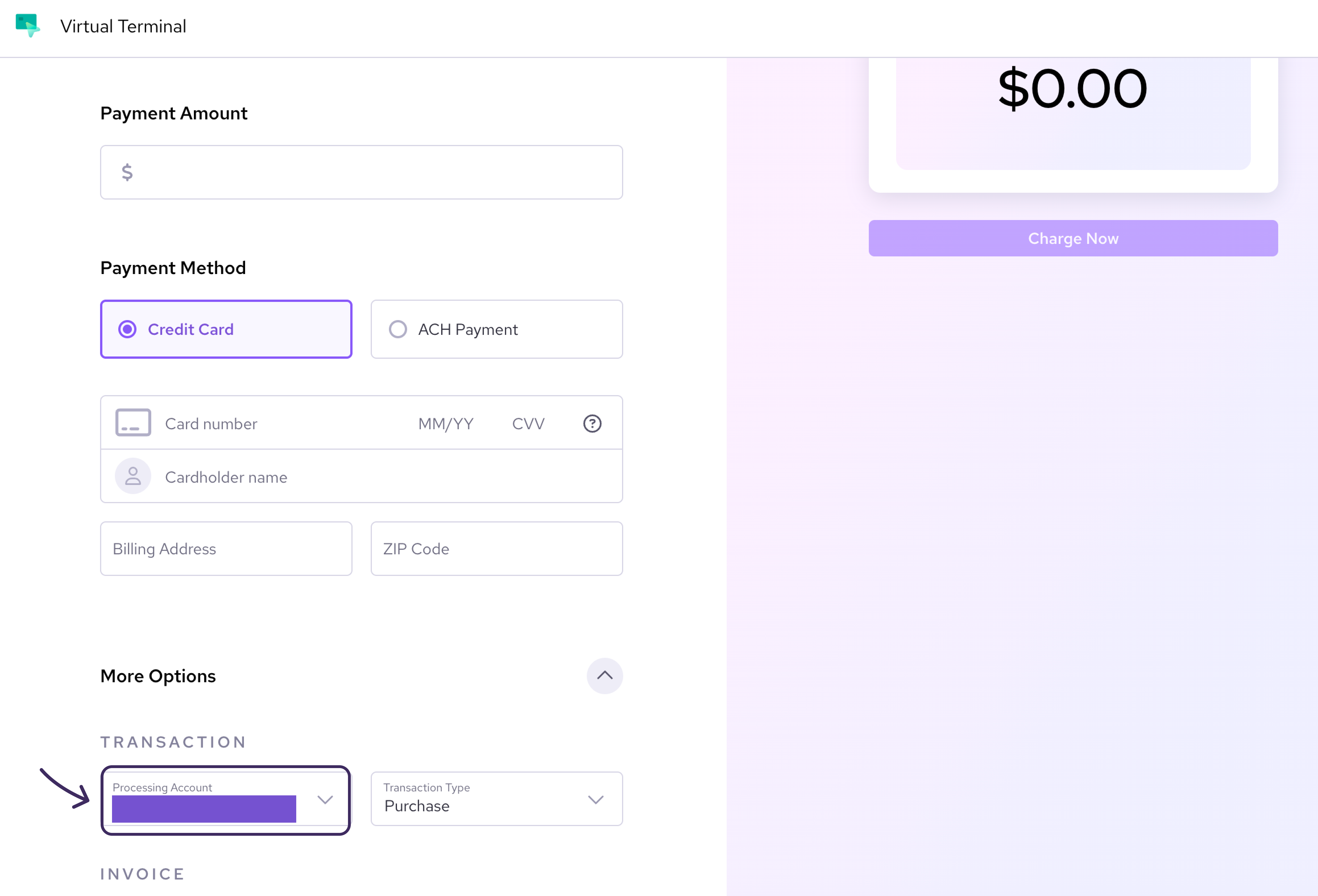
When using the Virtual Terminal, you can switch terminals on a transaction-by-transaction basis. When keying in a payment, simply click on More Options and you will see a dropdown menu to select which processing account you'd like to use for that specific payment.
Edit processing account details
Updating your nickname or changing which account address to use only takes a few clicks.
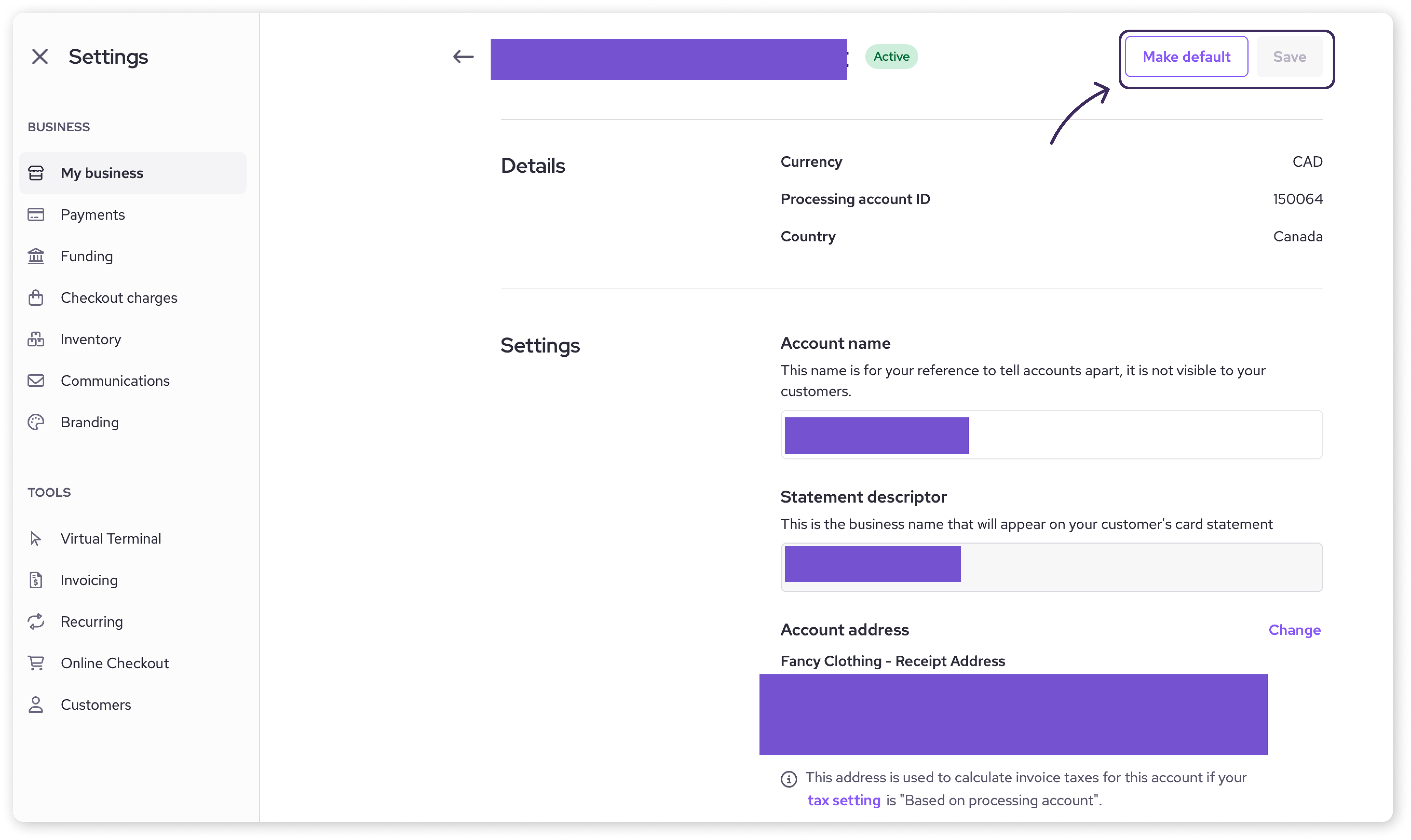
From the Processing accounts section, select the account you want to edit.
Update the Account name or select a new linked account address.
You may also decide which processing account will be the default that will be automatically selected for future payments.
Click Save to apply your changes.
| Pro tip: Keeping distinct processing account names (like "USD Sales" or "Main Store") helps keep your reporting organized and clean. |

How to add a new processing account
To add a processing account to your merchant account, you will need to contact our support team. They can set it up for you quickly, especially if it's for the same currency you already process in.
| For a new currency terminal: If you are a Canadian business requesting a USD terminal, there are a few extra requirements. Most importantly, you will need to have a USD bank account with a Canadian financial institution. Our team can walk you through the specifics. |
Next steps
Learn how to customize your batch settlement times.
Contact our support team to add a new terminal.
FAQs
Why do I see more than one processing account?
If you accept multiple currencies (such as CAD and USD) or deposit funds into separate bank accounts for different parts of your business, you will have a separate processing account for each setup.
Will changing these settings affect my physical Helcim Smart Terminal?
Your physical card reader hardware remains connected to your account. This update simply streamlines where you manage the backend rules (like settlement currencies and deposit bank accounts) associated with your processing profile.