Ever had a customer ask for a receipt from last season, sending you on a frantic paper chase? Or wished you could instantly resend a digital receipt instead of trying to make sense of a crumpled paper one?
Helcim makes it easy to view, download, or send receipts in just a few clicks.
In this article
Handling receipts during a sale
The easiest time to provide a receipt is immediately after a transaction is approved.
On the Helcim POS App or Smart Terminal
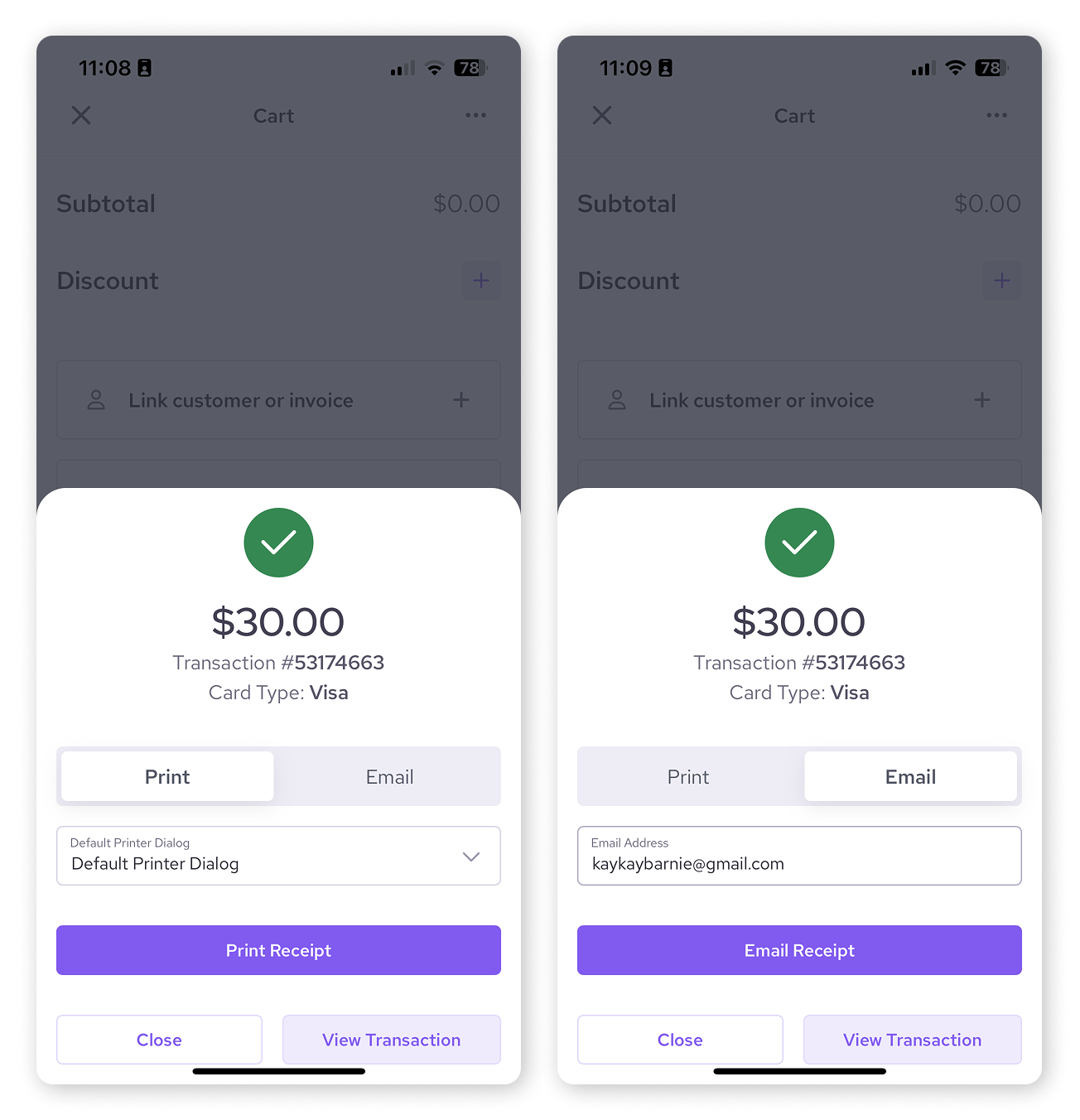
After a successful charge, a confirmation screen appears.
You can select Print Receipt to use a connected printer (or the Smart Terminal's built-in printer), or
Email Receipt to send a digital copy directly to the customer.
On the Virtual Terminal
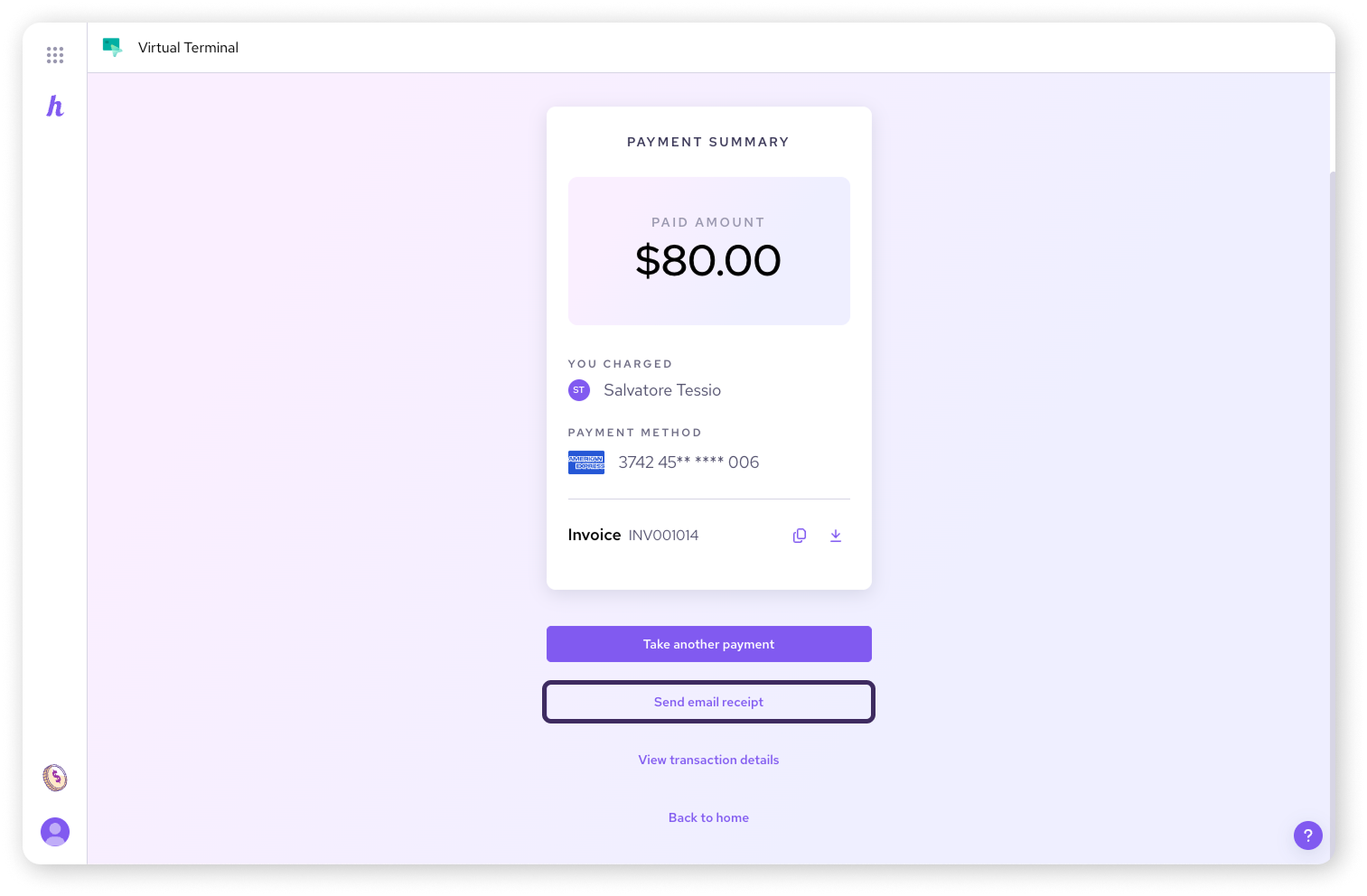
Once a payment is processed in your web browser, you will see an option to Send email receipt. Simply enter the email address and click send.
Managing receipts for past transactions
If a customer loses a receipt, you can access it anytime from your transaction history.
From the Helcim Dashboard (Web Browser)
Log into your Helcim account.
Navigate to All Tools (the icon in the top left) and select Payments.
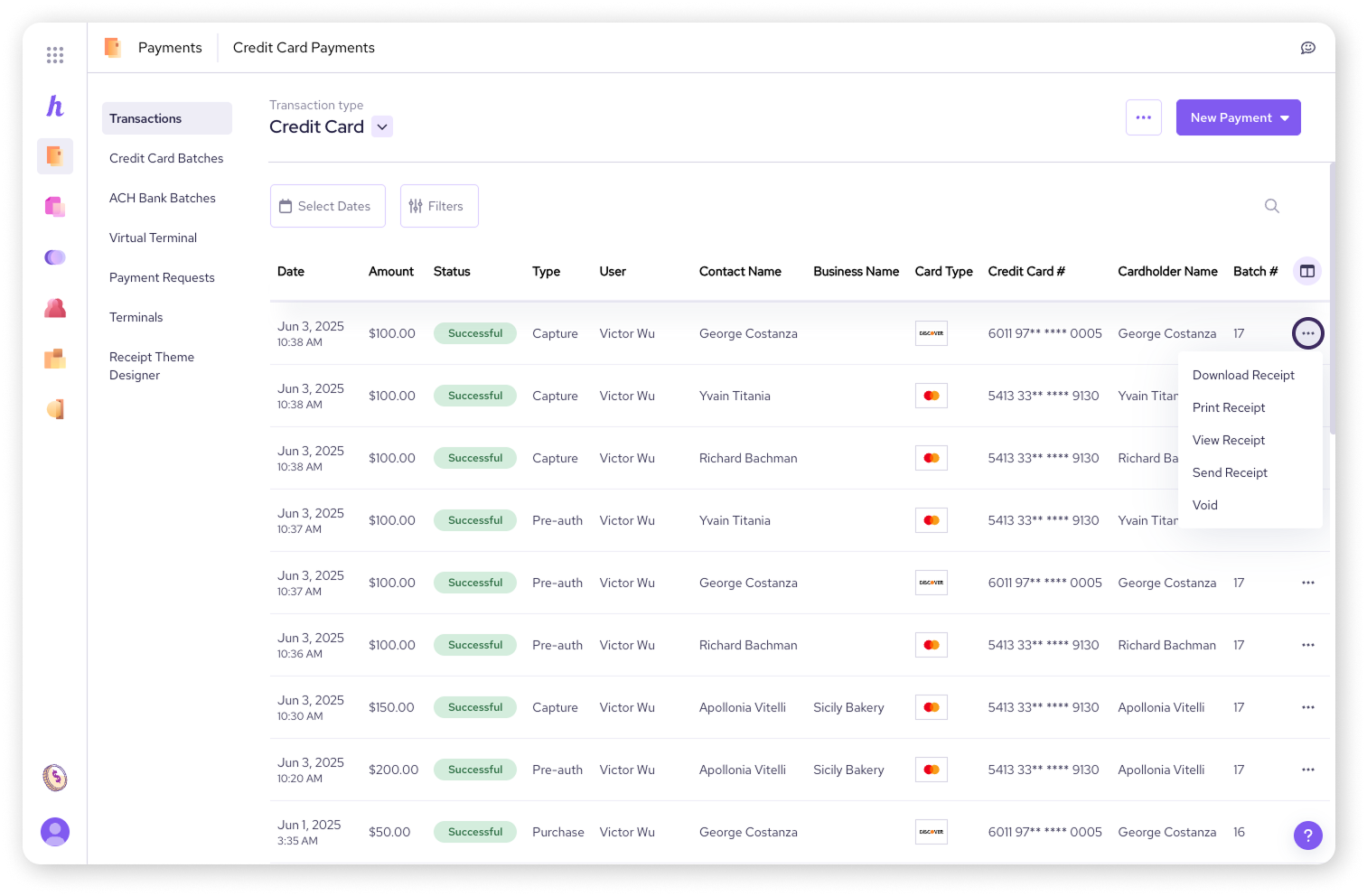
Find the specific transaction and click the three dots in the right-hand column.
Choose View Receipt, Download Receipt (saves as a PDF), Print Receipt, or Send Receipt.
From the Helcim POS App
If you're using the Helcim POS app on your mobile device, you can also manage receipts for transactions processed through the app.
Open the Helcim POS app.
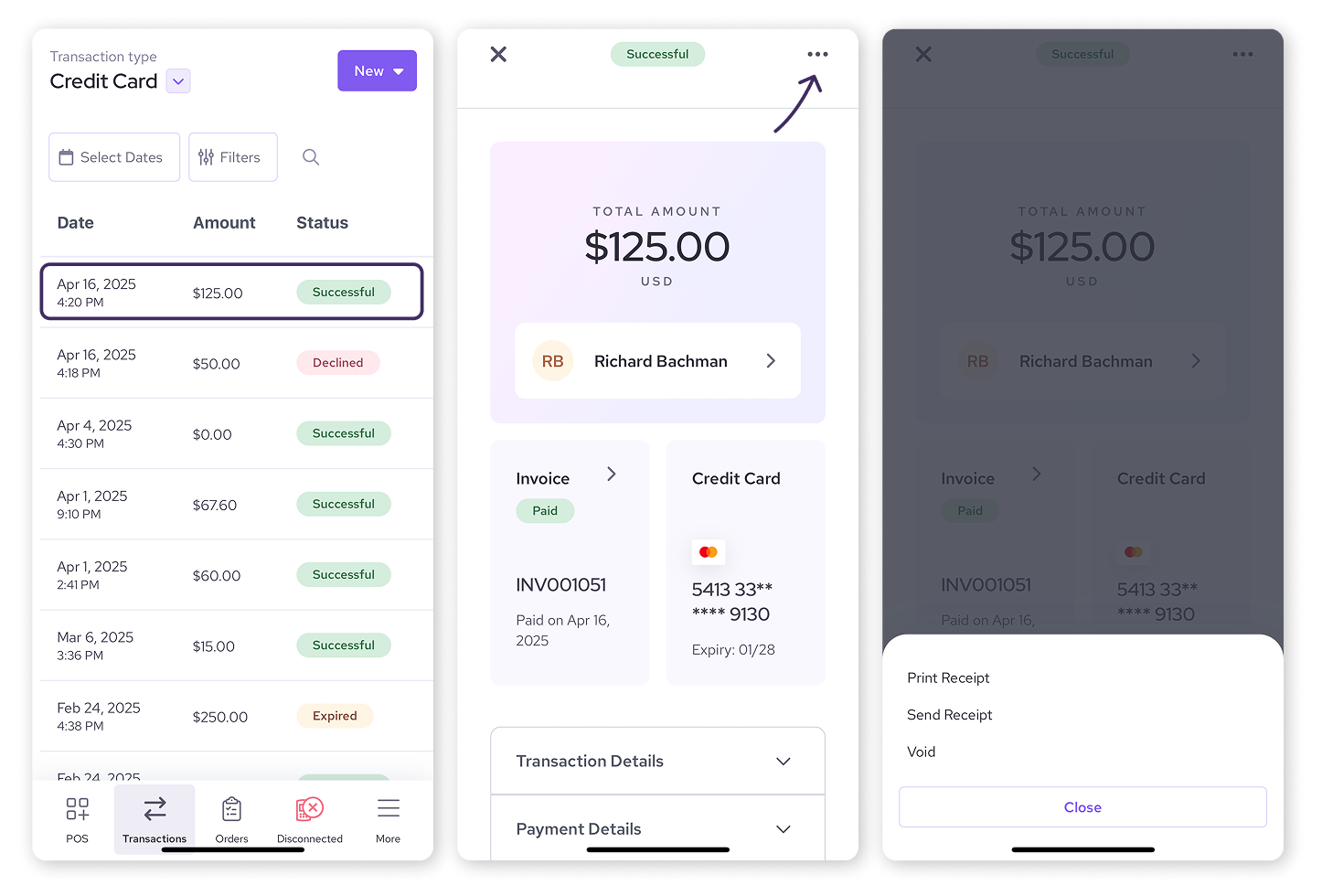
Tap Transactions in the bottom navigation bar.
Find the transaction and tap the three dots.
Select Print Receipt or Send Receipt.
| To download a PDF copy, please use the web dashboard. |

Next steps
Learn how to add your logo and customize the look of your receipts
Learn how to configure your receipt settings
FAQs
What's the difference between a receipt and an invoice in Helcim?
A receipt is proof of payment for a transaction. An invoice is a detailed bill for goods or services, which can then be paid. While Helcim generates both, and they might share some transaction details, they serve different purposes.
Can I resend a receipt if a customer didn't get it or lost it?
Yes! You can use the Send Receipt option from the Helcim dashboard (under Payments > transaction > three-dot menu) or the Helcim POS app (Transactions > transaction > three-dot menu) to resend it at any time.
What format are downloaded receipts in?
Downloaded receipts from the Helcim dashboard are in PDF format.
Can I customize what my receipts look like?
Absolutely! You can add your logo, custom messages, and choose brand colors. Check out our article on Design your receipts to learn how.
🦆