If your business meets the reporting thresholds for the year, your Form 1099-K will be available in your Helcim account by January 31st.
This guide shows you exactly where to find it and how to understand its status.
In this article
Who can access tax forms?
Because tax forms contain sensitive financial data, they are restricted to specific users. Only users with the following roles can view or download the 1099-K:
Administrator
Accountant
If you do not see the Tax Forms option in your menu, please ask your account administrator to update your permissions.
How to download your Form 1099-K
Log in to your Helcim Account.
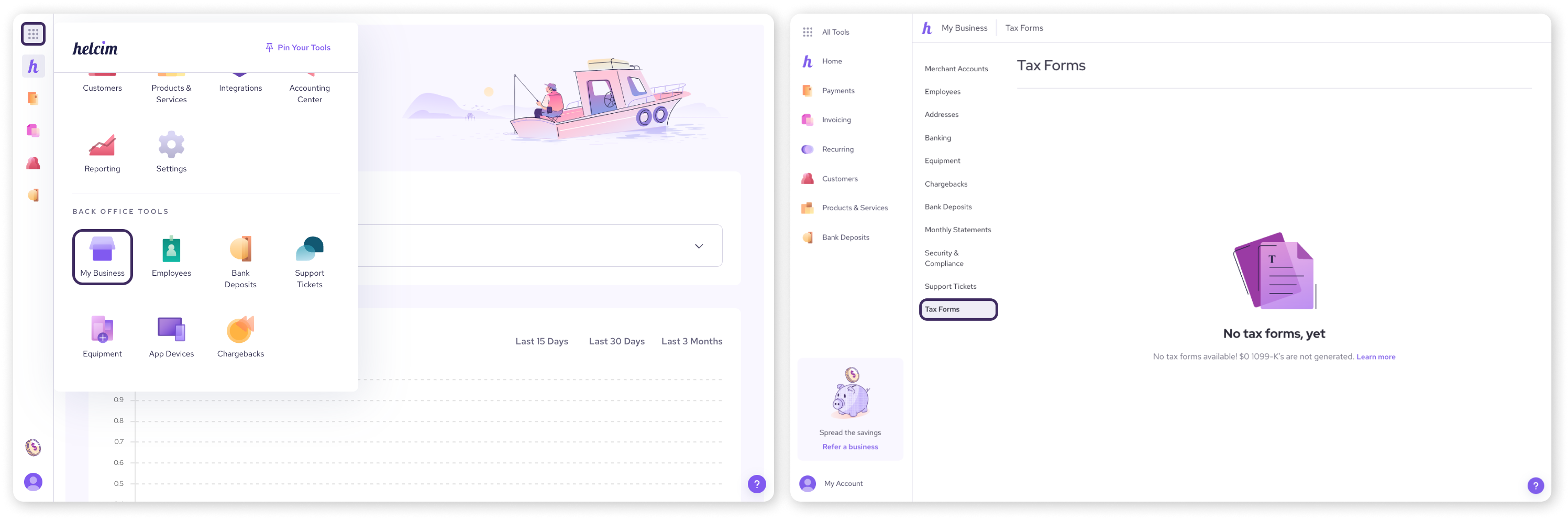
Select All Tools from the main menu .
Click on My Business.
Select Tax Forms.
You will see a list of all available tax documents.
Multiple Accounts: If you have multiple merchant accounts linked to your login, you will see a separate Form 1099-K for each one.
View: Click View Form to preview the document on your screen.
Download: Click Download to save a PDF copy for your records.
Understanding the form status
Next to each form, you will see a "Status" label. Here is what they mean:
Submitted: The form has been successfully sent to the IRS.
Pending: The form is ready for you to view, but it hasn't been officially transmitted to the IRS yet.
Canceled: A previous form had an error and was canceled. You should look for a new, corrected form in the list.
Not Submitted: Your business did not meet the filing threshold, so this form was not sent to the IRS.
Accessing forms for closed accounts
If you have closed your Helcim account but still need your tax forms for the previous year, you can still access them.
Log in to your Helcim account using your old credentials.
Follow the steps above to navigate to Tax Forms.
If you have trouble logging in, please contact our support team for temporary access.
FAQs
Why don't I see a form for this year?
If you do not see a form for the current tax year, it is likely because your business did not meet the federal ($20,000 USD & 200 transactions) or state reporting thresholds.
Can I get a paper copy of my Form 1099-K?
By default, we provide Form 1099-K electronically. However, you can request a paper copy or withdraw your consent to receive electronic forms by writing to us. Please send your request to the following address.
| Helcim Inc. Attn: Tax Department Re: Request for 1099-K Paper Form Suite 400 - 440 2nd Avenue SW, Calgary, Alberta, Canada T2P 5E9 |

To help us verify your identity, please include your full name, phone number, business name, Helcim Merchant ID, and Tax ID Number, along with a statement about your request.