Not every sale requires sales tax. You might have customers who are exempt (like non-profits or resellers), or you might sell specific items that are tax-free.
This guide shows you how to configure your account so these exemptions happen automatically.
In this article
Exempting a specific customer
If you have a repeat customer who is tax-exempt, you can update their profile so you don’t have to manually remove the tax every time they buy from you.
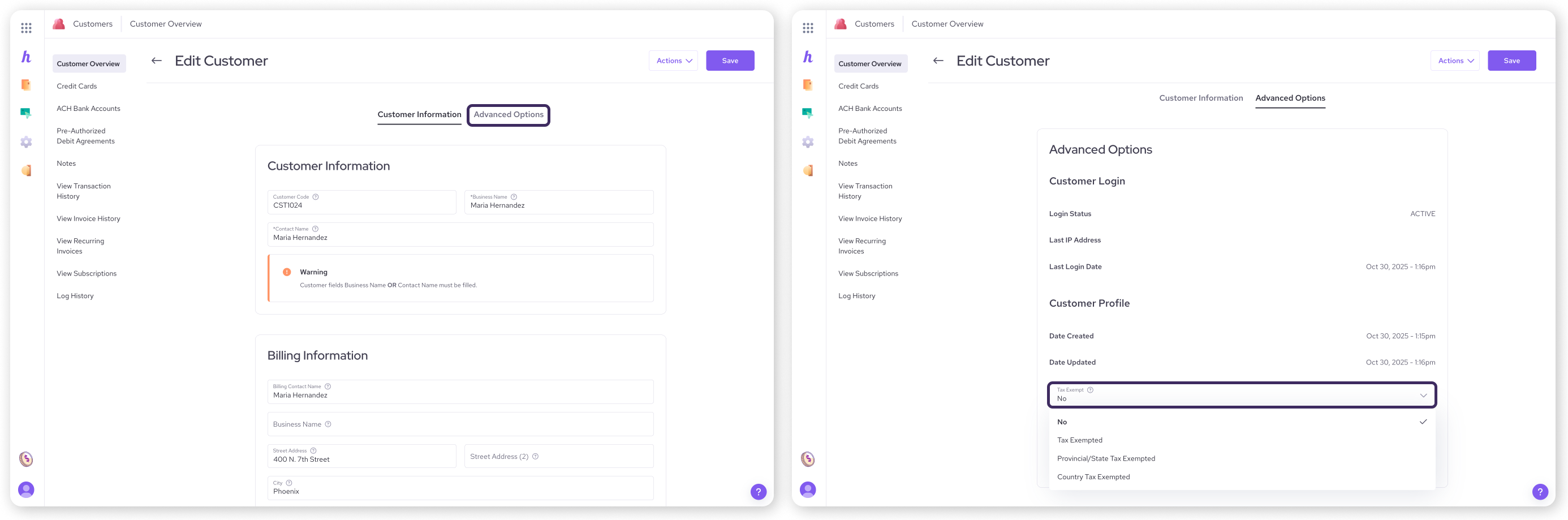
Go to All Tools > Customers .
Click on the customer's name to open their profile.
Select Advanced Options from the menu .
Click on the Tax Exempt dropdown.
Select one of the following:
Tax exempted: Exempt from all taxes
Provincial/state tax exempted: Exempt from provincial or state level taxes, but not country level taxes.
Country tax exempted: Exempt from country level taxes, but not provincial or state level taxes.
Click Save.
Now, whenever you select this customer during a sale or create an invoice for them, the system will automatically block any tax from being applied to their order.
Exempting a specific product
Some products or services might be tax-free regardless of who is buying them. You can mark these items as exempt in your catalog.
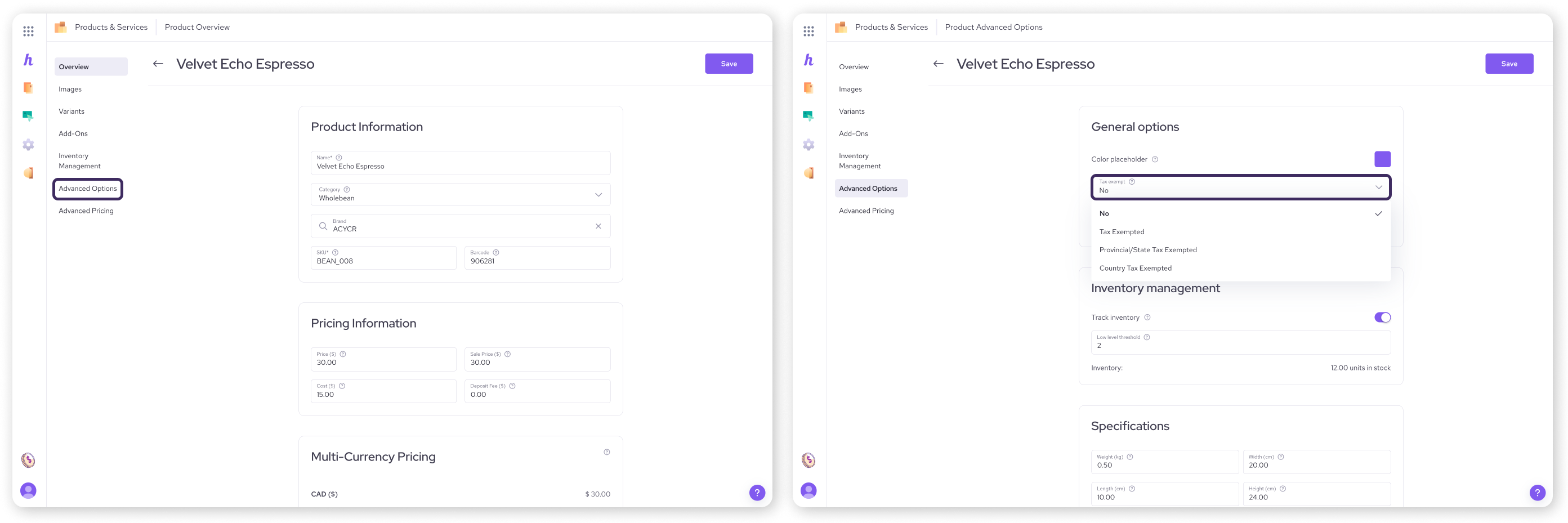
Go to All Tools > Products & Services .
Click on the product you want to edit.
Select Advanced Options .
Click on the Tax Exempt dropdown.
Select one of the following:
Tax exempted: Exempt from all taxes
Provincial/state tax exempted: Exempt from provincial or state level taxes, but not country level taxes.
Country tax exempted: Exempt from country level taxes, but not provincial or state level taxes.
Click Save.
If you add this item to a cart that has other taxable items, Helcim will calculate tax only on the taxable items and leave this one alone.
Tips and gift cards
Handling taxes on tips and gift cards can be confusing. Here is the general rule for how they work on Helcim:
Gift Cards: You should not charge tax when you sell a gift card. Instead, tax is applied when the customer uses the gift card to pay for a product or service .
Tips: Voluntary tips added by customers are not taxed. However, if you charge a mandatory service fee (like for a large group), this may be taxable depending on your local laws .
Next steps
You have set up your rates, learned how to charge them, and handled your exemptions. The final piece of the puzzle is seeing how much you have collected so you can file your returns.
| Learn how to view and export your tax reports in this next article. |

FAQs
What if I forget to mark a customer as exempt?
If you haven't updated their profile yet, you can simply choose not to add tax to their specific transaction. On the POS, toggle the tax to Off. On an invoice, simply do not click Add in the tax field .
Does Helcim store my customer's tax exemption certificate?
No. Helcim allows you to turn off the tax calculation for the customer, but we do not store the physical exemption certificate or paperwork. You should keep those records in your own files in case of an audit.
What if my entire state has no sales tax?
If you operate in a region with no sales tax, you can simply leave your tax settings empty or choose not to add tax to your transactions .